Advisors
Client reports
Compare saved client readings and share reviewed, revocable combined agency snapshots for one completed week.
Review one week across clients
Open the Client reports tab under Reports in the sidebar. This signed-in overview lists active
projects you own or belong to, including projects where you are a viewer. It
is independent of the project selected in the sidebar. Archived projects and
projects where your membership was removed are excluded
(api/services/client_reports.py#client_reports).
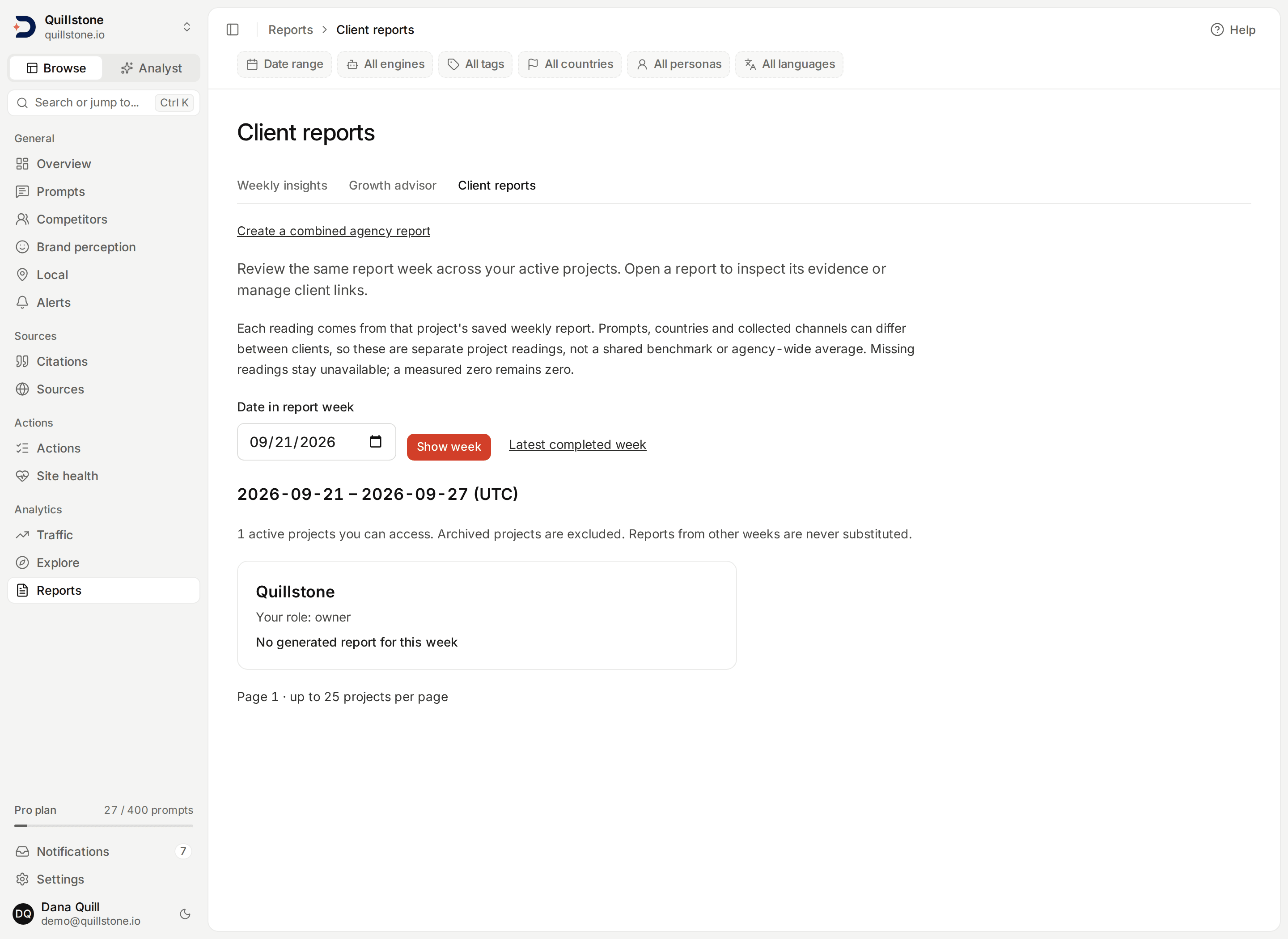
The screenshot uses the local Quillstone demo account, whose only project is Quillstone, for the report week of 2026-09-14. These are not client observations.
Choose a common report week
The default is the most recent completed Monday–Sunday week in UTC. Select any
date within an earlier week and choose Show week; the overview resolves it
to that week's Monday and Sunday. Current and future weeks are rejected.
Latest completed week returns to the default. Every project uses the same
week, and another week's report is never substituted
(api/services/client_reports.py#latest_completed_week, #client_reports).
Projects are ordered by name, then ID, with 25 per page. Previous and Next
retain the selected week. The total includes accessible active projects even
when their report is missing or locked; it is not a count of available reports
(api/services/client_reports.py#PAGE_SIZE, #client_reports).
Read the project cards
Each card shows your role and one of four states:
- Report ready: a generated report covers the exact selected week.
- No generated report for this week: there is no matching generated report; this includes skipped, failed or incomplete-date reports.
- Weekly-report access required: the project owner's plan lacks access.
- Project owner is inactive: saved readings are withheld.
The gate uses each project owner's current weekly-report entitlement, not
your own plan. Standard Starter, Growth and Pro plans include that access.
No new plan flag is required. Missing and locked cards reveal no report metrics
(api/routers/client_reports.py#get_client_reports,
api/services/client_reports.py#client_reports).
Ready cards show brand visibility, citation rate, citation share and average
citation position from the saved report. They reuse the client digest's reading
rules: missing data stays Unavailable, newer measured zeroes remain zero,
and ambiguous all-zero readings from older reports remain unavailable. See
Client report measurements
for the version rule (api/services/report_shares.py#build_snapshot,
api/services/weekly_report.py#reading_value).
These are separate project readings, not an agency-wide average or ranking. Prompts, countries, provider mixes and sample populations may differ between clients, even in the same week. Saved weekly readings combine that report's collected channels; they do not represent equivalent consumer-interface measurements. No additional collection or AI calls run when opening this page.
Open the exact report
Choose Open report on a ready card. Access and that week's report are checked again before switching the selected project. The weekly report opens at the chosen week, where you can inspect details and, as an owner or editor, manage client links. If the requested report disappears, an error replaces it rather than silently showing a different week.
The overview requires sign-in. Create a combined agency report opens the separate sharing workflow described below. Individual client report links continue to contain one project and keep their existing controls.
Related
- Weekly report: the full report and metric definitions
- Client report links: create and inspect fixed digests
- Team access: project roles and membership
Share a combined agency report
Choose Create a combined agency report, select a completed week and 2–10 ready client projects, and enter a report title. You need current owner/editor access to every selected project, and each project's owner needs weekly-report access. The selector shows 25 projects per page; changing pages resets the selection. Missing reports and viewer-only projects cannot be included.
Each client uses its current default report template, or the standard digest
when no default exists. Preview combined report shows every included
section. Confirm that you intend to share these clients together, then create
a link lasting 1, 7 or 30 days. Changed reports, branding or templates require
a fresh preview. No collection or model call runs during sharing
(api/services/agency_reports.py#preview, #create).
Each client's metrics remain separate; there is no pooled agency average. Anyone holding the link can read all included clients without signing in, forward it or save a copy. The public page supports Print / Save PDF. Links retain DiscoveredBy attribution; this is not a BI connector or fully white-labeled application.
Copy the link when created: its secret is shown once. Your issued links
lists your latest 100 links; at most 20 can be active. Inspect a saved snapshot
or revoke a link there. Every public request rechecks all included projects,
owner entitlements and the creator's current editing access. Losing access to
one client makes the whole link unavailable, and prevents inspecting its saved
contents; the creator can still revoke it. Expiry and revocation stop future
requests, but cannot erase downloaded copies
(api/services/agency_reports.py#resolve, #inspect, #revoke).
Last verified 2026-09-27