Account
Team
The three roles a project membership can hold, what each is checked against, and direct access and expiring invitation links.
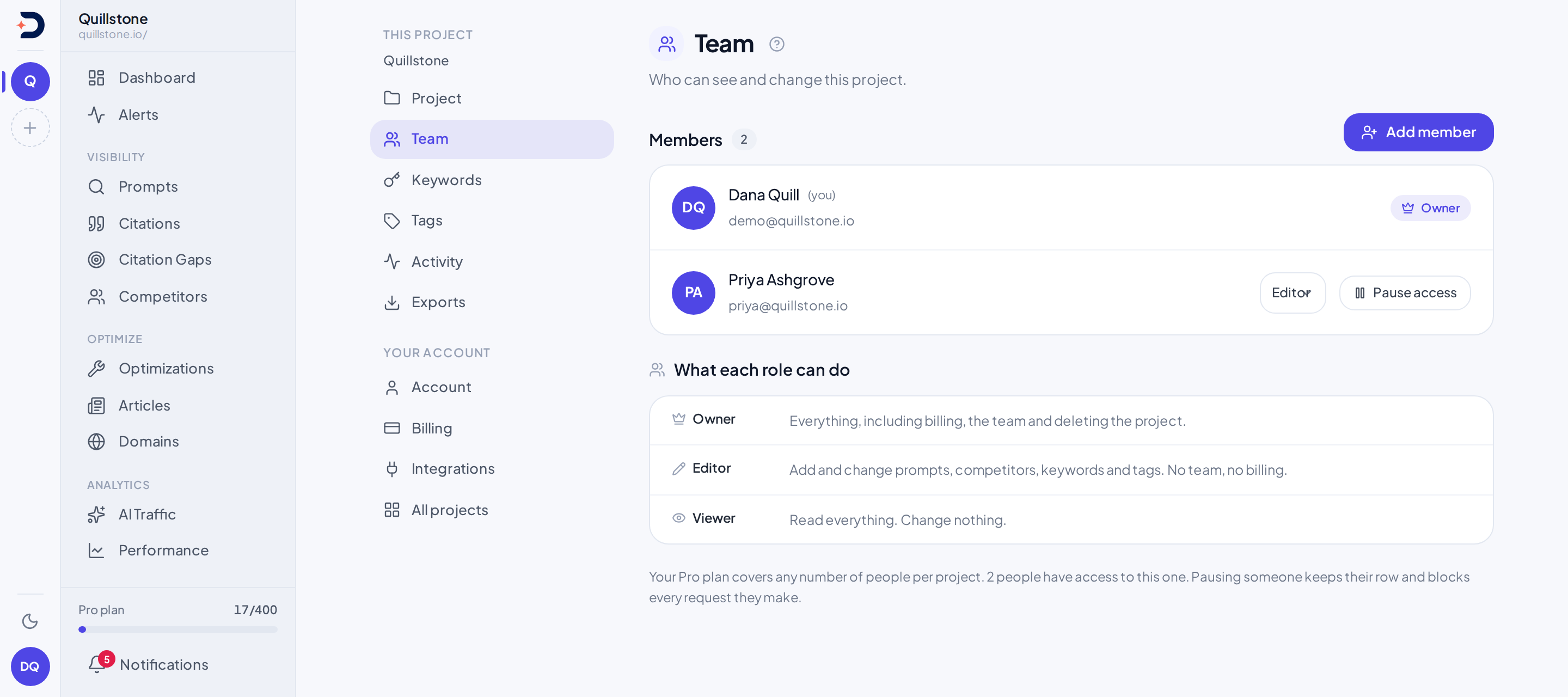
Membership is per project
A membership row belongs to exactly one project. Adding someone to a project
gives them nothing on any other project you or they touch: invite_member
takes the project id from the URL and writes it onto the row it creates, and
every check elsewhere in the product reads that same project-scoped row, not
anything account-wide (api/routers/team.py#invite_member). That is a
narrower scope than billing, which is one plan per account pooled across
every project you own; see
Plans and limits for what sits at the
account level instead of the project level.
The three roles
owner, editor and viewer are the only values a membership row's role
column can hold, enforced by a database check constraint,
ck_project_member_role, on project_members.role, created with the table
itself (alembic/versions/46d194c8c504_baseline_schema.py#upgrade).
Assigning or reading a
fourth value is not possible; the invite and role-change endpoints both
reject anything else before it reaches the database
(api/routers/team.py#invite_member, #update_member).
What each role can actually do, read from the checks themselves rather than from what the names suggest:
| Capability | Owner | Editor | Viewer | Checked by |
|---|---|---|---|---|
| Read this project's data (Overview, prompts, competitors, citations, articles, optimizations, alerts, integrations, keywords, tags) | Yes | Yes | Yes | Creator, or any active membership row of any role (api/dependencies.py#get_project_for_user) |
| Create, edit or delete that data, or start any run a person can trigger, outside the owner-only rows below | Yes | Yes | No | Same check, plus a role read that rejects only viewer (api/dependencies.py#require_write_access) |
| See the team list | Yes | Yes | Yes | Confirms a row exists; does not read its role (api/routers/team.py#list_members) |
| Add a member, change their role, or take their access away | Yes | No | No | api/routers/team.py#invite_member, #update_member, #remove_member |
| Edit and save the project record, or archive the project | Yes | No | No | api/routers/projects.py#update_project, #delete_project |
| Add or remove a social account | Yes | No | No | api/routers/growth_advisor.py#add_social_profile, #delete_social_profile |
| Download this project's exports, CSV or JSON | Yes | Yes | Yes | Gated by the project owner's plan, not by role; see Plans and limits |
Two checks do the work above, not one per capability. Reading is
get_project_for_user: it accepts the project's creator and any active
membership row regardless of role, so a viewer opens the same screens an
editor does. What a viewer sees on those screens is not identical, though:
every project payload carries my_role, resolved by this same rule
(api/schemas/project.py#my_role, api/routers/projects.py#_with_my_role),
and the app reads it to disable, rather than hide, any control a viewer's
role would fail on, with one line saying why
(frontend/src/lib/permissions.js#canWrite,
frontend/src/lib/components/RoleNotice.svelte). Writing narrows that to
require_write_access, which calls the
same membership check and then rejects the request only if the caller's role
reads viewer. That second check is the rule behind the whole write row of
the matrix, which is why the row states a rule rather than a list: it is
called from thirty-one routers, covering alerts, articles, attributes,
brand aliases, citation gaps, competitor social profiles, competitors, customer
API keys, earned sources, running prompts, Explorer, Fact check (two
routers: facts and drafts, and checked prompts, studies and reviews),
Growth Advisor,
insights, integrations, keywords, the llms.txt Advisor, objections,
optimizations, personas, prompt suggestions, prompt classification,
prompts, report links, report templates, robots.txt checks, source
categories, the source watchlist, tags and variant templates. Running a
prompt on demand and asking for more prompt suggestions are both in that
set (api/routers/executions.py#execute_single_query,
#execute_batch,
api/routers/prompt_candidates.py#generate_more_candidates). Everywhere the
matrix says "No" for owner-only rows, the
check is a third, separate one: the endpoint reads the caller's role
directly and accepts nothing but owner. That third check covers invitation management, the team endpoints above, saving or archiving the
project record, and the two social-account endpoints. Note what "owner" means to that
check: it reads owner for the project's creator, and also for anyone
holding an active membership row whose role is owner
(api/dependencies.py#get_user_role_in_project), so promoting someone to
owner really does hand them every one of those endpoints.
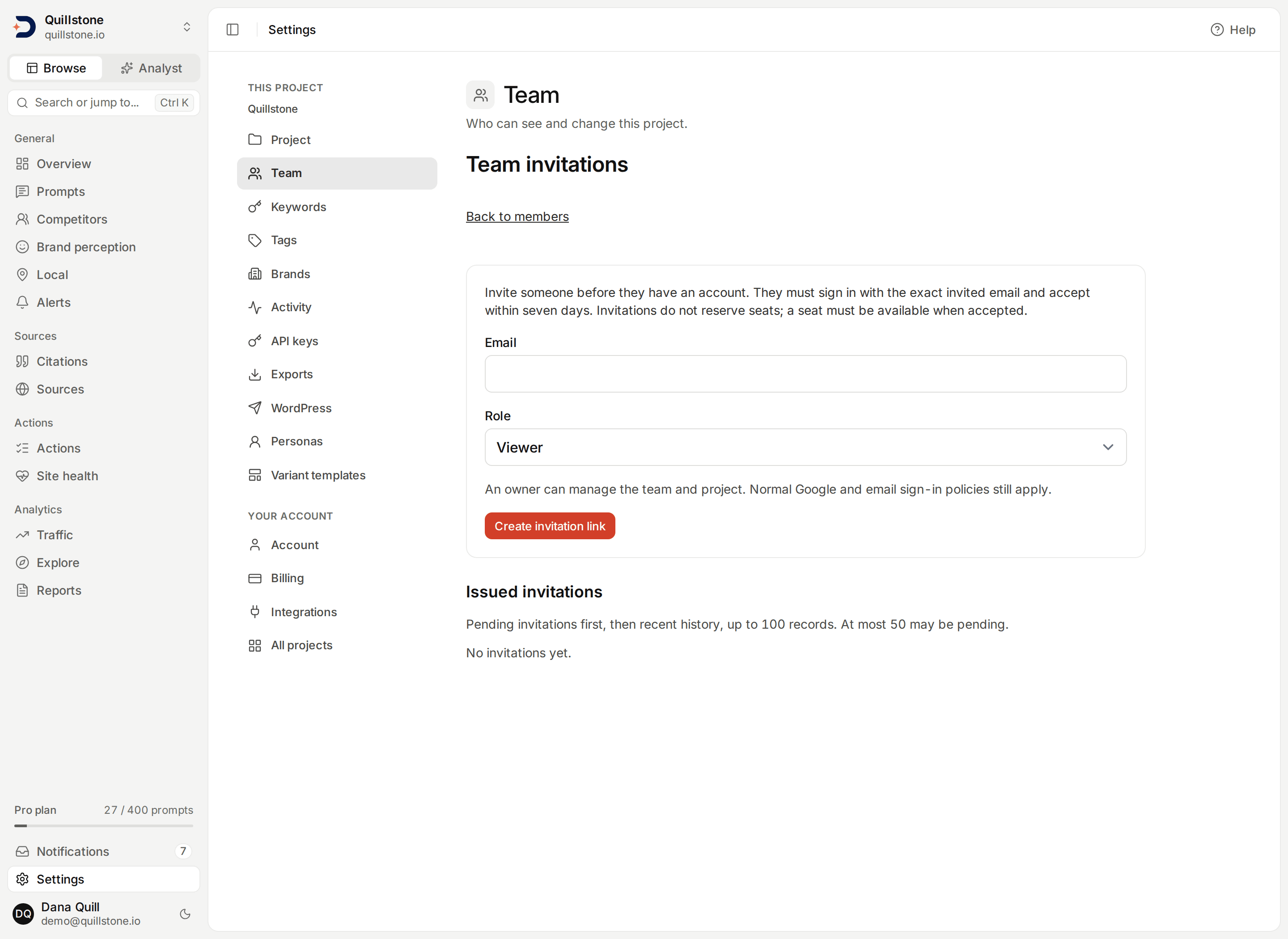
Invite someone by link
Choose Invite someone by link in Team settings. Owners can enter an email address and choose an owner, editor or viewer role before that person has an account. Create invitation link displays the full link once. Copy it and share it with that person; the platform does not send an invitation email.
The link expires after seven days. The recipient opens it, selects
Continue to invitation, signs in with the exact invited address, reviews
the project and role, and explicitly accepts. Both Google sign-in and email
links return to this review before onboarding. Normal sign-in policies still
apply, including the Google free-email exception. Acceptance records its time
and grants membership only in the invited project
(api/services/team_invitations.py#accept).
Invitations do not reserve seats. Available team capacity is checked when creating a link and again when accepting it. The project and its billing owner must remain active, and the inviter must still be an active owner. An invitation cannot change the role of someone who already has active access. Owners can revoke pending invitations from the list; accepted invitations are managed through the member's access controls instead. Revoked or expired links grant no access. A project can have 50 pending invitations; the list shows pending links first and recent history up to 100 records. A second pending invitation to the same address requires revoking the first.
Add an existing account directly
Add member still grants immediate access to an existing account without
an acceptance step. An unknown address returns User not found; use the
invitation-link flow above instead. Re-adding an inactive member restores that
membership with the selected role (api/routers/team.py#invite_member).
Direct addition does not send email or record invitation acceptance.
The owner rules
The project's creator holds a permanent owner row that nothing can touch:
update_member and remove_member both compare the row's user id against
the project's creator id before doing anything else, and refuse to change
its role, deactivate it, or remove it, unconditionally
(api/routers/team.py#_project_creator_id, #update_member,
#remove_member).
Anyone else holding the owner role can be demoted or removed, but only if
doing so would leave at least one other active owner row behind. That count
tallies every active row with role = 'owner', and the creator's own row is
one of them: a row with that role is written for them when the project is
created. So as long as the creator's row is still active, any other owner
can be moved down or removed, because the creator's row is what satisfies
the remaining-owner count on its own
(api/routers/team.py#_count_active_owners,
api/routers/projects.py#create_project,
#create_onboarding_project).
"Removing" someone is the same operation as pausing them, one layer down.
The remove endpoint sets the membership row's active flag to off and commits,
which is exactly what pausing through the role-change endpoint does; nothing
is deleted either way, and the row keeps its role
(api/routers/team.py#remove_member, #update_member). The screen never
reaches the remove endpoint at all: its three actions are adding a member,
changing a role, and switching a member's access on or off, and the control
for the last of those is labelled as pausing and restoring
(frontend/src/routes/(app)/settings/team/+page.server.js#actions,
frontend/src/routes/(app)/settings/team/+page.svelte#ROLES).
The team-member limit
Adding someone re-runs the plan's team-member check before the row is
created, and reactivating a paused member's access runs the same check
again. What that check counts is one thing: the project's own active
membership rows, the creator's included, since the creator holds a real
owner row rather than being added in as an extra
(api/services/limits.py#check_team_limit,
api/routers/projects.py#create_project). A cap of a given size therefore
admits that many people in total, the owner among them, with no seat lost to
counting anyone twice. What the actual number is for each plan lives on
Pricing, and how the check sits among the other metered limits
is Plans and limits's to describe.
Getting into a project you were added to
Everything above is enforced the moment a request carries this project's id.
What decides whether that id ever reaches the browser of someone you added
is a different call. The project switcher, and the redirect that sends a
signed-in user with no projects to onboarding, both come from GET /projects
(api/routers/projects.py#list_projects,
frontend/src/routes/(app)/+layout.server.js#currentProject).
That endpoint returns a project on either of two grounds: you created it, or
you hold an active membership row on it. The two are combined as an OR in a
single clause, with the membership half written as a subquery over project
ids rather than as a join, so the creator, who also holds their own owner
membership row, still comes back exactly once rather than twice
(api/routers/projects.py#_accessible_to, #create_project). That is the
same definition of access get_project_for_user applies when a request
names one project, so the list a person can see and the projects their
requests are allowed to reach are the same set.
So someone you add signs in and finds the project in their switcher,
whatever role you gave them, and a person whose only projects are ones they
were added to is no longer sent to onboarding as though they had none.
Loading one project's own record runs through that same clause
(api/routers/projects.py#_load_project_with_countries, used by
#get_project), so a member can open the project's settings screen too.
Two things follow from that, and they are worth stating plainly. Pausing someone's membership takes the project back out of their switcher at the same moment it takes away their access, because the list and the per-request check read the same active flag. And nothing about this widens what a member can do: the owner-only rows in the matrix above are checked exactly as described, so a member reaching a screen is not the same as being allowed to write from it.
Related
- Plans and limits: where the team-member check sits among the other metered limits, and why exports ignore role entirely
- Projects: who can open and save the project record itself, and what pausing or archiving a project does
- Create your account: how sign-in works for the person you are about to add
Last verified 2026-09-27